Welcome to Wombu
Wombu is a club management app that helps organizations connect, communicate, and coordinate. Whether you run a sports team, hobby group, or community, Wombu keeps everyone informed.
Download Wombu from App Store or Google Play, create an account, and start managing your club.
What Can You Do?
For Members
Join clubs, receive announcements, RSVP to events, and stay connected.
For Club Owners
Create clubs, manage members, organize groups, send announcements, and coordinate events.
Key Concepts
🏘️ Clubs
Communities organized around shared interests.
👥 Groups
Organize members for targeted communication.
📢 Announcements
Send messages to your club or specific groups.
Getting Started
Create Your Account
- Download Wombu from App Store or Google Play
- Tap "Create an account"
- Enter your details: name, email, password
- Verify your email
- Start joining or creating clubs!
Signing In
Use your email and password. You can also sign in with Google or Apple.
Your Profile
Go to Settings to update your profile photo, name, email, password, and language.
My Clubs
Join clubs and manage your memberships.
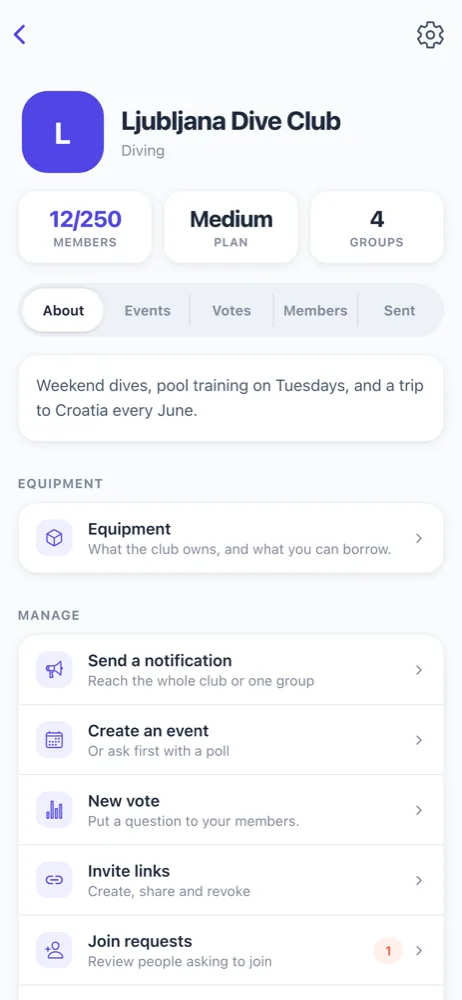
Joining Clubs
Via Invite Link
- Tap an invite link from email or message
- Wombu opens with club details
- Tap "Join Club"
Discover Public Clubs
- Go to Clubs tab → Discover
- Browse or search clubs
- Tap "Request to Join"
- Write about yourself
- Owner approves your request
Subscription Tiers
| Tier | Members | Price |
|---|---|---|
| Free | 20 members | €0/month |
| Small | 75 members | €13.11/month |
| Medium | 250 members | €22.94/month |
| Unlimited | Unlimited | €40.98/month |
Your Role in a Club
| Role | Permissions |
|---|---|
| Owner | Full control of club, settings, members, billing |
| Manager | Everything except billing |
| Member | View content, RSVP to events |
Notifications
Stay informed about announcements and events.
The Alerts tab shows everything happening in your clubs:
- Announcements from club owners
- Event updates
- Join approvals
Go to Settings → Notifications and also enable in your phone settings.
Events & RSVP
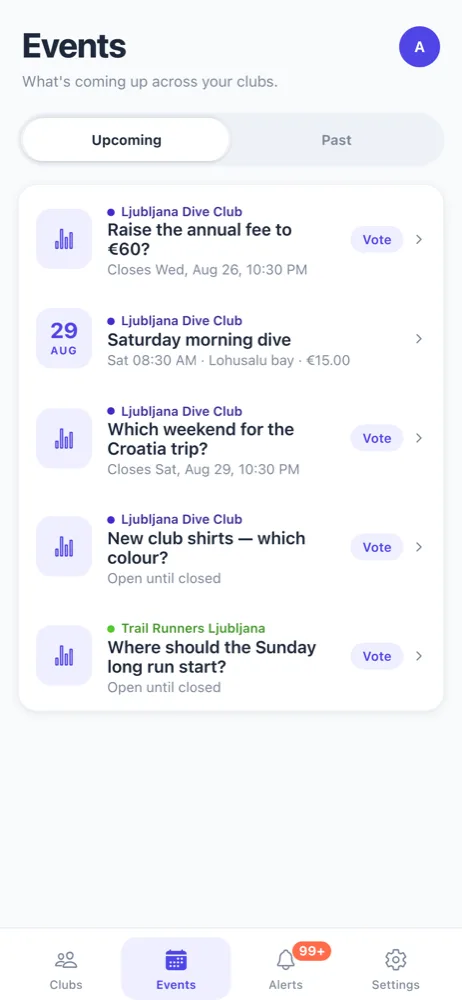
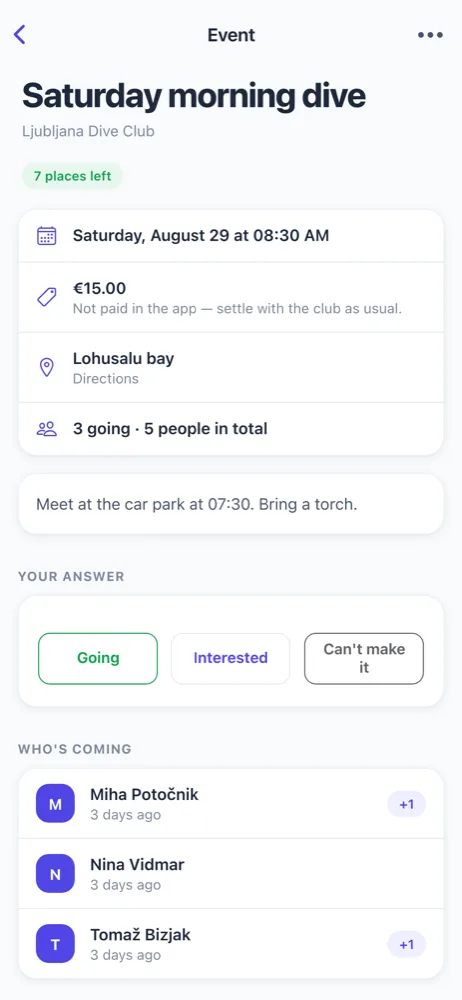
RSVP to Events
- Tap an event in Alerts or Events tab
- Choose your response:
- Going — You'll attend
- Interested — You might attend
- Can't make it — You can't go
- See who else is attending
You can change your response anytime.
Groups
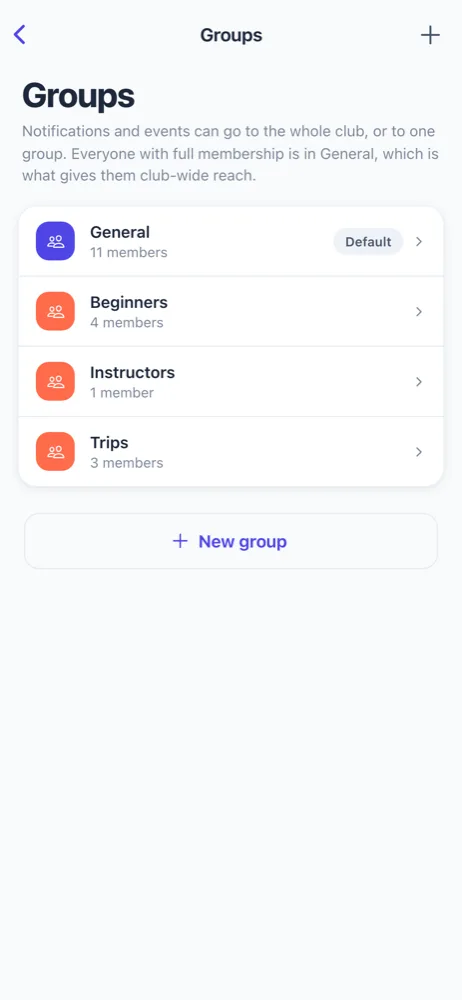
What Are Groups?
Organize members for targeted communication. Examples:
- Sports: Beginners, Intermediate, Advanced
- Reading: Mystery, Science Fiction, Non-Fiction
- Community: Volunteers, Mentors, New Members
Create Groups (Owner/Manager Only)
- Go to Club Settings → Groups
- Tap "New group"
- Enter group name
- Add members to the group
Every club has a "General" group for club-wide announcements.
Send Announcements
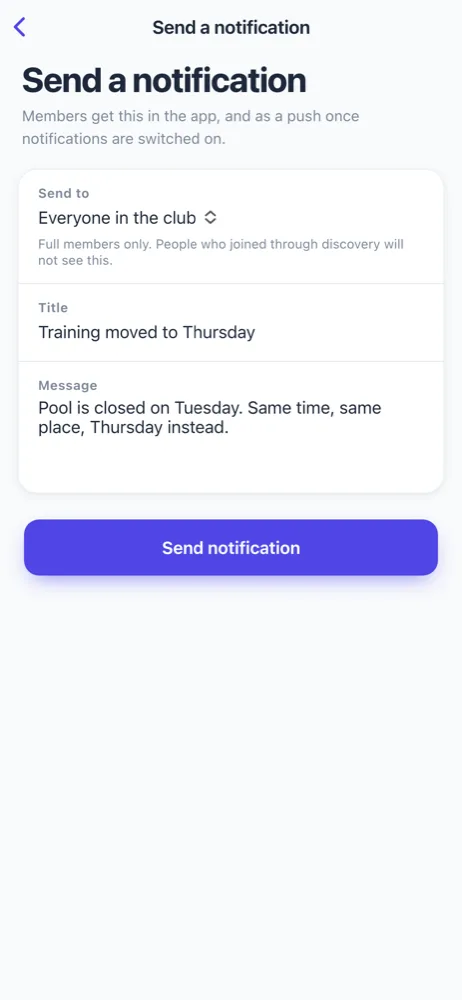
Create an Announcement
- Go to your club
- Tap "Send a notification"
- Choose recipients: Everyone or a specific group
- Write your title and message
- Tap "Send notification"
Best Practices
- Be clear and descriptive
- Include important details (date, time, location)
- Use specific groups when not everyone needs it
- Review before sending (can't edit after)
Creating a Club
Start Your Club
- Go to Clubs tab
- Tap "Create Club"
- Enter:
- Club name
- Description
- Category
- Logo (optional)
- Choose subscription tier:
- Free: 20 members
- Small: 75 members
- Medium: 250 members
- Unlimited: No member limit
Next Steps
- Create groups to organize members
- Invite members via invite links
- Start sending announcements
Make Your Club Public
Go to Club Settings and enable "Public/Discoverable" so people can find and request to join your club.
Managing Members
Invite Members
Send Invite Links
- Go to Club Settings → Invite links
- Generate a link
- Share via email, text, or social media
Approve Join Requests
- Go to Club Settings → Join requests
- Review requests
- Approve or reject
- Assign to groups
Change Member Roles
- Go to Members list
- Tap a member
- Change their role
Remove Members
- Go to Members list
- Tap a member → Remove from club
FAQ
General
Can I be in multiple clubs?
Yes! Join as many clubs as you want with one account. Members are always free.
What are the subscription tiers?
Free: 20 members, €0/month
Small: 75 members, €13.11/month
Medium: 250 members, €22.94/month
Unlimited: Unlimited members, €40.98/month
Club Management
What's the difference between groups and roles?
Roles (Owner, Manager, Member) control permissions. Groups organize members for targeted messages.
Can members create groups?
No, only owners and managers create groups.
Troubleshooting
Not getting notifications?
Check: 1) Wombu Settings → Notifications enabled, 2) Your phone settings allow notifications.
App crashing?
Try: force close, restart phone, check for updates, or reinstall Wombu.